xyzlab / xyzlab.alienware
Alienware
An Alienware Command Center replacement for the Omarchy bar. Fan readouts and an additive boost curve, thermal profiles, turbo and power limits, chassis RGB for the power button, lid logo and ring, and per key keyboard lighting that follows the theme. All hardware access goes through the alienwarectl helper.
Built for the Alienware x15 R2. Other models in the family differ, in particular the lighting zone ids and the keyboard index map.
Screenshots
In Tokyo Night. Press T for the next theme.
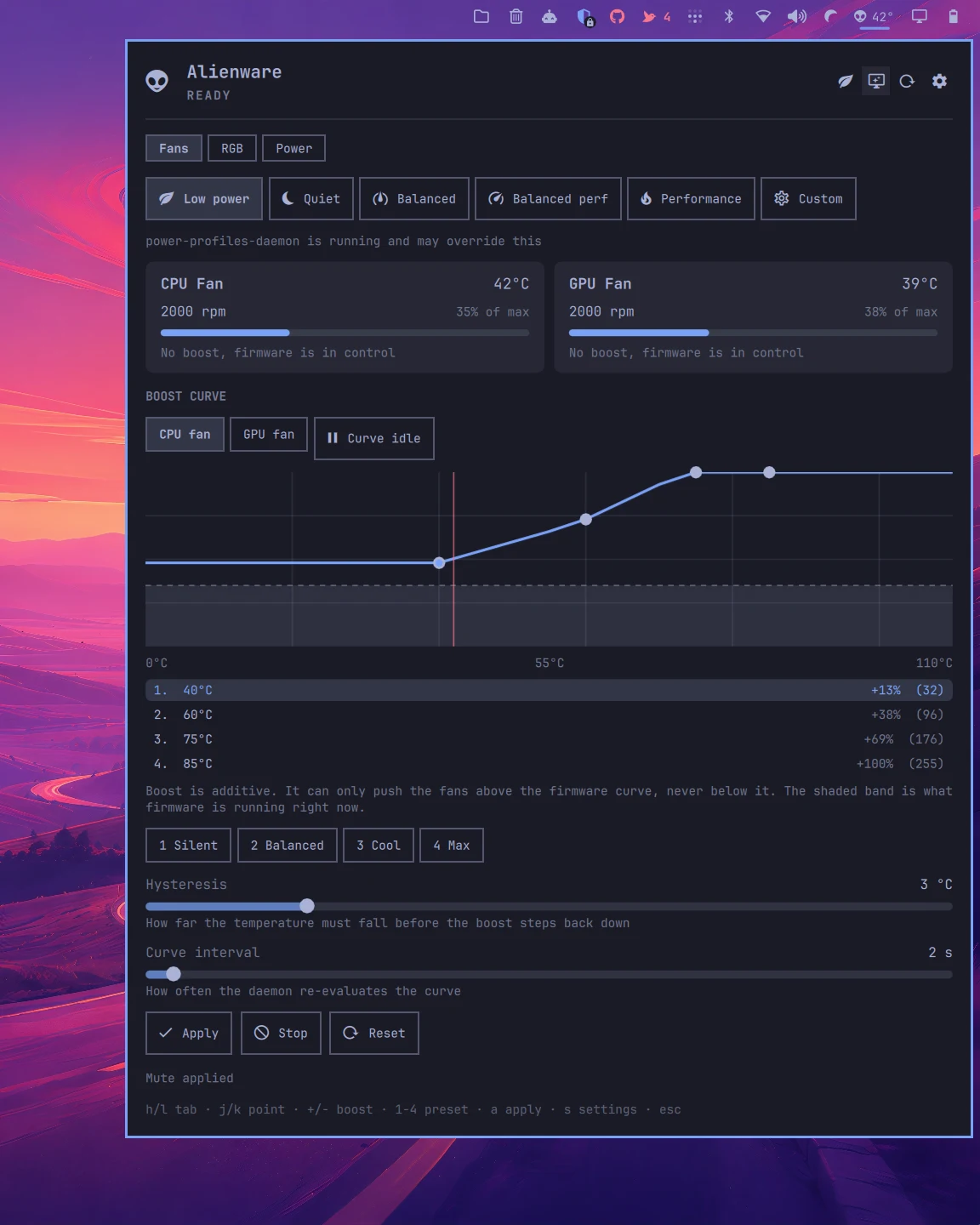
Fan readouts, thermal profiles and the boost curve editor.
What it does
Fans, lighting and power for the Alienware x15 R2.
Fans in the bar
CPU and GPU fan speed, temperatures, GPU draw and power limits, polled every two seconds. The widget turns hot at the temperature you pick.
Boost curve
An additive curve editor. It can only push the fans above the firmware curve, never below it, and the shaded band shows what firmware is doing right now. Four presets, hysteresis and interval.
Thermal profiles
Low power, quiet, balanced, balanced performance, performance and custom. Snapshotted before sleep and put back after resume, without fighting power-profiles-daemon.
Turbo and power limits
CPU turbo and RAPL limits from the Power tab.
Chassis RGB
Power button, lid logo, ring and keyboard as four regions, with per key keyboard lighting from a measured index map.
Follows the theme
Optionally keeps the keyboard on the active Omarchy theme colour, paints the mute keys red when audio or the mic is muted, and restores itself after a suspend.
Unprivileged plugin
The QML side runs in the shell. The Go helper is a root D-Bus daemon and a user CLI, installed from a signed release with makepkg.
Install
Add it to the bar.
omarchy plugin add https://github.com/chr0nzz/omarchy-alienware.git --enablecd ~/.config/omarchy/plugins/xyzlab.alienware/packaging/bin && makepkg -sisudo systemctl enable --now alienwarectl.serviceUpdate later with omarchy plugin update xyzlab.alienware. Remove with omarchy plugin remove xyzlab.alienware.
Needs
Requirements
- Omarchy 4 shell
- An Alienware x15 R2. Other models in the family differ in lighting zone ids and the keyboard index map
- The alienwarectl helper, installed from the packaged release
Keyboard
Hands stay on the keys.
| Keys | Action |
|---|---|
| h / l | Switch tab |
| j / k | Move between curve points |
| + / - | Adjust boost |
| 1 to 4 | Curve preset |
| a | Apply |
| s | Settings |
| Esc | Close |
Settings
Set from the bar, or the CLI.
Every key below is a bar widget setting. Change it from the Omarchy bar settings, from the plugin's own settings editor, or with omarchy bar set xyzlab.alienware <key> <value>.
| Key | Purpose |
|---|---|
| pollInterval | Seconds between hardware polls |
| hotTemp | Temperature that turns the bar widget hot |
| display | Bar widget shows icon, temp or full |
| themeRgb | Keep the keyboard lights on the active theme colour |
Scripting
Talk to it from a script.
Every plugin registers an IPC target with the shell, so a keybinding, a hook or a cron job can drive it.
omarchy-shell alienware statusomarchy-shell alienware closeomarchy-shell shell summon xyzlab.alienware '{}'alienwarectl kbd off